Spot and perpetual in two windows
Put BTCUSDT spot beside the USD-M perpetual of the same name. The gap between the two prices becomes something you can see instead of guess.
 Binance connector for MT5
The connector streams Binance's public prices into MT5, so BTCUSDT and its futures contracts open like any other symbol. You keep your MT5 indicators, add CryptoZella signals, and still place every Binance order yourself.
Setup
Support stays with you from sign-up until the first Binance chart is live.
Register on Binance with the CryptoZella link, so Binance records the account under our partner ID. Already on Binance? A sub-account will not qualify, because Binance credits sub-account referrals to whoever referred the main account. Write to support before you register anything, and we will look at your case with you.
Email your Binance UID, the user ID Binance gives every account, to support@cryptozella.com. Support checks the referral and activates your free licence. That licence also opens every timeframe of the signal bot.
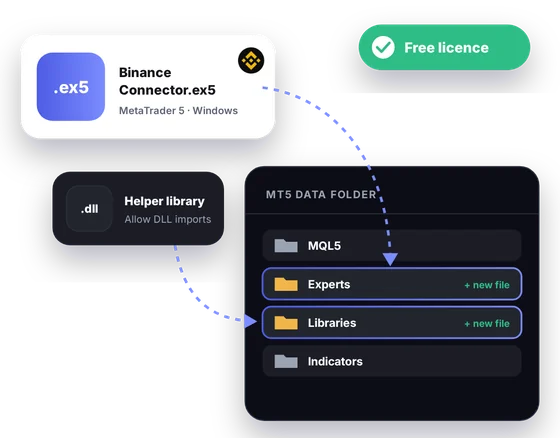
Download the connector file and its helper library, then place both in the MT5 data folder. Allow DLL imports in MT5's options. Open a Binance symbol and watch the candles build in real time.
MT5 bridge
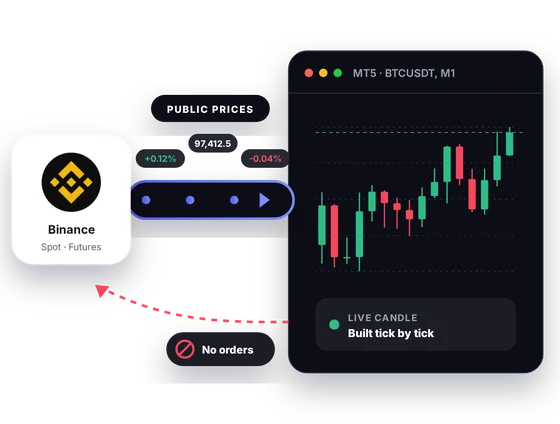
Binance publishes its spot and futures prices for anyone to read. The connector collects that public feed and rebuilds it as MT5 candles. Nothing travels back toward Binance.
Inside MT5
Binance splits its markets into spot, USD-M futures and COIN-M futures. MT5 lets you study them in one workspace with tools the exchange app does not have.
Put BTCUSDT spot beside the USD-M perpetual of the same name. The gap between the two prices becomes something you can see instead of guess.
Binance tags a coin-margined perpetual BTCUSD_PERP and a quarterly contract with a date, such as BTCUSD_261225. Knowing the suffix tells you at a glance which contract a chart shows.
Binance lists many coins against USDT, USDC and FDUSD. Charting two quotes of one coin shows whether a move is the coin or the quote.
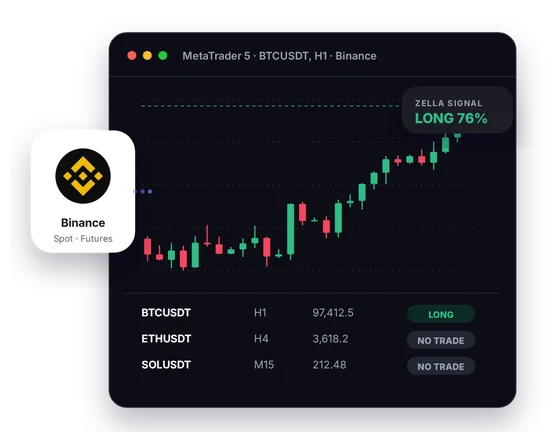
Each LONG, SHORT or NO TRADE read is drawn on the Binance chart where it happened. You judge it against your own levels before you touch the Binance app.
Line up the Binance symbols you follow in one table with their current read. It is a quick way to find the chart worth opening next.
Custom indicators, templates, alerts and Expert Advisors all run on Binance candles. The Strategy Tester replays recorded history, which shows how an idea behaved, never how it will behave.
In one picture
The picture shows one MT5 screen fed by Binance, with the signal and the Screener open next to the chart.
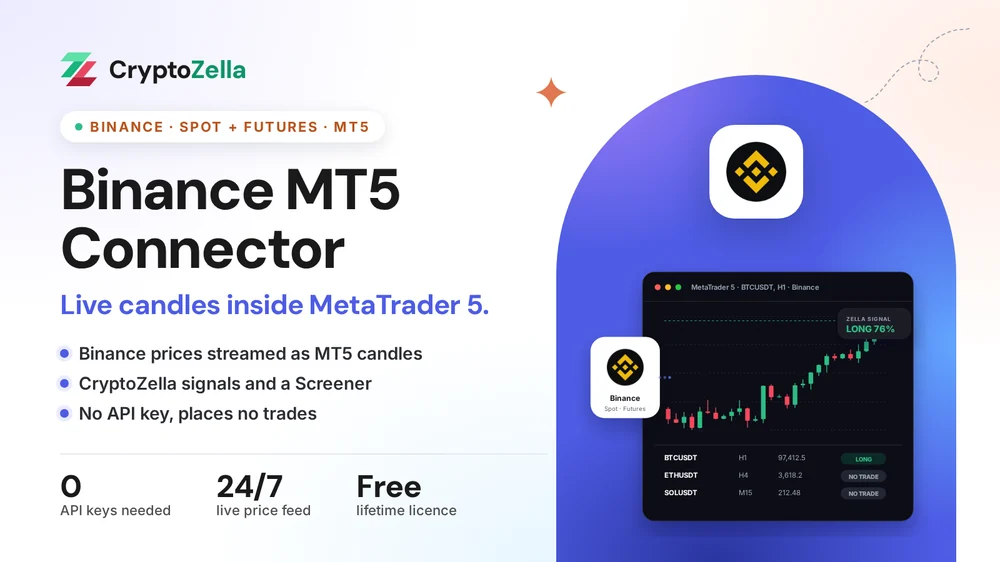
Every tick on this chart comes from Binance's public market data.
The current bar grows tick by tick, just as on the Binance chart.
A CryptoZella read marks the bar it belongs to, so its timing is plain.
A table of Binance symbols shows which ones lean long or short right now.
Copy trading
Plenty of Binance traders follow someone else's calls. The connector lets you weigh each call against live Binance candles before you act on it.
A copier or signal Expert Advisor in MT5 can take the Binance chart as its input. It sees prices only, because the connector gives it no door into Binance.
Study a CryptoZella read or another trader's idea on the MT5 chart. If it still makes sense, you key the same trade into the Binance app.
Nothing is mirrored, synced or copied into your Binance account. Each position you hold there is one you opened by hand.
Free download
The download targets the MT5 desktop terminal on Windows. It sits idle until your free lifetime licence is active.
Markets
These facts come from Binance's own public market data. Support tells you which symbols your install lists.
Read-only
The connector needs nothing from your Binance login. It reads the same public prices anyone can see.
You never create or paste an API key, so there is no key to leak or revoke.
Your balances, positions and order history stay invisible to the connector.
Nothing in MT5 can buy, sell or move funds on Binance. You do that by hand in the Binance app.
Partner sign-up links
Open a new account through any link below, then send support its UID or trader ID. One lifetime licence follows, for the connectors and every expiry of the signal bot.
Crypto exchanges
Binary options brokers
These are partner links: we may earn a commission when you open an account, at no cost to you. Crypto and binary options trading carry a high risk of loss, so read the risk warning first.
FAQ
Only accounts Binance records under our partner ID can carry the licence, and an existing account cannot be moved there. A sub-account will not help either, since Binance passes sub-account referrals to the main account's referrer. Binance's own help pages also point people with a verified personal account to sub-accounts or an entity account, not a second personal one. Write to support and we will explain what is possible for you.
Look at the end of the name. In Binance's futures data a quarterly contract carries a date, as in BTCUSDT_261225, and a coin-margined perpetual ends in _PERP. A USD-M perpetual has no suffix at all, so BTCUSDT on the futures side is the perpetual.
It cannot. With no login and no API key, your account data is out of its reach. It only receives prices that Binance publishes to everyone.
An EA can read the Binance chart and raise alerts, but it has no route to Binance. The connector carries prices into MT5 and nothing back out. Every Binance order is still yours to place by hand.
Yes, the Strategy Tester runs on recorded Binance history once you have it in MT5. A backtest describes the past only. Leverage on Binance futures can still lose more than a test suggests, so read the risk warning before you trade.
It needs the MT5 desktop terminal on Windows. The connector is built for that desktop terminal, so MT5 on a phone will not run it. You can still check the signal bot on your phone in a browser tab.
Nothing, and it does not expire. It covers the Binance connector and every timeframe of the signal bot.
It is not. CryptoZella is an independent tool that reads Binance's public market data, and Binance does not endorse it. The sign-up link is a referral link that lets Binance record your account under our partner ID.
More connectors
Free lifetime licence
Sign up through our link, send your UID, and support will have your first Binance chart running with you.


