BTC and XBT on one screen
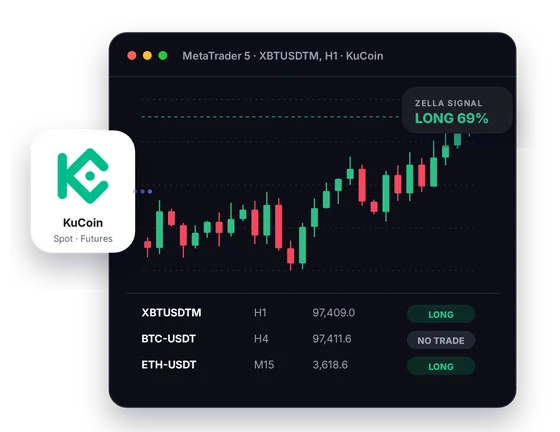
Spot shows BTC-USDT, futures show XBTUSDTM, and both are bitcoin. Placing them next to each other in MT5 removes the guesswork.
 KuCoin connector for MT5
KuCoin calls bitcoin BTC on spot and XBT on futures, and the connector brings both into MT5 as live candles. Add CryptoZella reads and a Screener, then place your KuCoin trades yourself.
Setup
Each step is short, and a person from support is there if one stalls.
Open the account from the CryptoZella link, because KuCoin binds a referral when the account is registered. Sub-accounts are not eligible in KuCoin's referral program, so a new one under your current account will not qualify. Have a KuCoin account already? Ask support what can be done before you sign up again.
Note the UID of the KuCoin account you just opened. Email it to support@cryptozella.com, and support turns on the licence after checking the referral. Every signal bot timeframe opens with it too.
Move the connector file and the helper library into the MT5 data folder. Switch on DLL imports in MT5's options. Open BTC-USDT or XBTUSDTM and the candles begin to form.
MT5 bridge
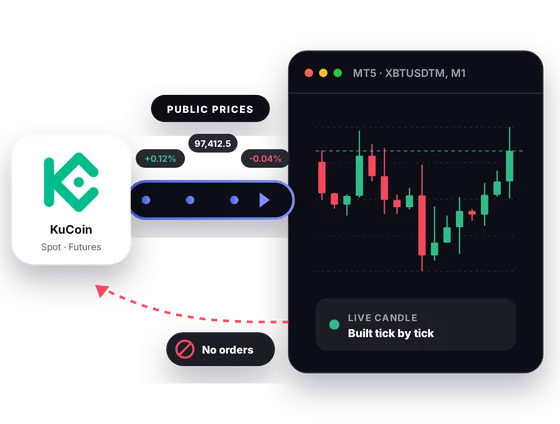
KuCoin's public data covers BTC-USDT on spot and XBTUSDTM on futures. The connector moves both into MT5, where ticks form the candles. It never writes anything back to KuCoin.
Inside MT5
KuCoin's long altcoin list and its own futures naming are easier to handle with MT5's screens and tools.
Spot shows BTC-USDT, futures show XBTUSDTM, and both are bitcoin. Placing them next to each other in MT5 removes the guesswork.
KuCoin lists spot pairs quoted in BTC and ETH as well as in stablecoins. A chart like ATOM-BTC shows strength against bitcoin, not only against the dollar.
XBTUSDTM settles in USDT, XBTUSDCM in USDC, and XBTUSDM in bitcoin. Comparing them helps you pick the margin style that fits your holdings.
A CryptoZella read lands on the KuCoin candle it refers to, with its confidence score. Check it against your own analysis before you open the KuCoin app.
Load the coins you track into the Screener and see each one's current read in a single table. It narrows a long watchlist to a few charts.
Run your favourite MT5 indicators or an Expert Advisor's analysis on KuCoin candles. Backtests use recorded history, so they show what happened before and nothing more.
In one picture
Here is what each part of the picture shows when KuCoin is your price source.
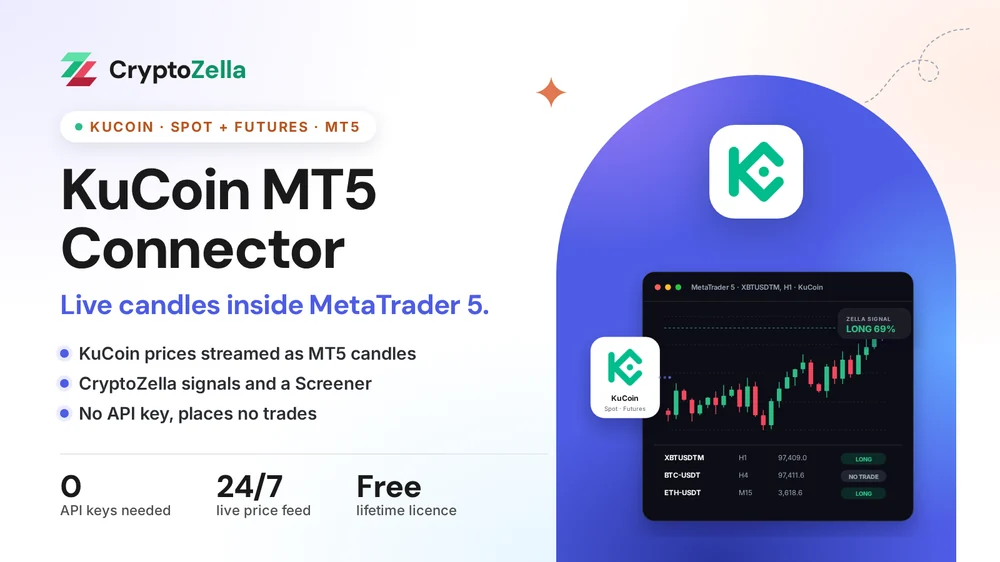
The prices come straight from KuCoin's public market feed.
You watch the KuCoin bar take shape as the price moves.
The current call for the pair is shown directly on its chart.
Many KuCoin pairs sit in one list, each with its latest call.
Copy trading
An Expert Advisor in MT5 can watch KuCoin altcoins far longer than you can. The connector gives it the prices, and you keep the trading.
Load a signal or copier EA on several KuCoin charts at once. It reads candles and flags setups, but it holds no KuCoin access.
If a CryptoZella read or a trader you follow points at a KuCoin pair, check it in MT5. You then place that trade on KuCoin yourself, if you want it.
The connector has no means to open, close or copy a position on KuCoin. Orders there happen only when you make them.
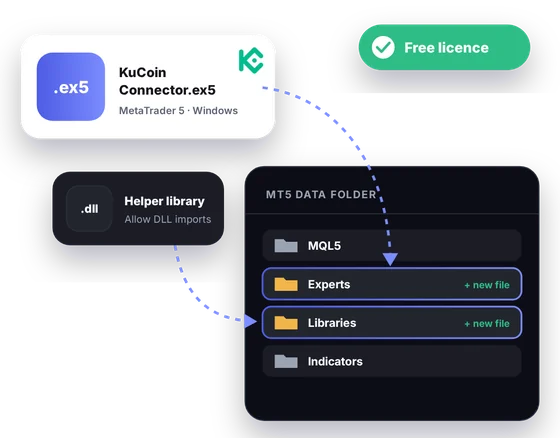
Free download
The package runs inside MT5 for Windows desktop. Its licence costs nothing and lasts for life once your partner sign-up and UID are verified.
Markets
These details match KuCoin's own spot and futures API data. Support can confirm what your install includes.
Read-only
The connector is a viewer of public prices. It has no way into the account you trade from.
KuCoin API keys and passphrases are never part of the setup.
Your funds, sub-accounts and open orders remain out of its sight.
The connector cannot open, close or cancel a KuCoin order, and it cannot move coins.
Partner sign-up links
Open a new account through any link below, then send support its UID or trader ID. One lifetime licence follows, for the connectors and every expiry of the signal bot.
Crypto exchanges
Binary options brokers
These are partner links: we may earn a commission when you open an account, at no cost to you. Crypto and binary options trading carry a high risk of loss, so read the risk warning first.
FAQ
That is KuCoin's own naming on its futures side, as in XBTUSDTM and XBTUSDM. Spot keeps the BTC ticker, as in BTC-USDT. Both describe the same coin, so expect both names in your MT5 symbol list.
That will not work. KuCoin's referral rules leave sub-accounts out, and the referral is bound when an account is registered. Contact support if you already trade on KuCoin and we will help you find a way forward.
In KuCoin's contract data, XBTUSDTM settles in USDT and XBTUSDCM in USDC. XBTUSDM is the inverse perpetual, settled in bitcoin. The same pattern repeats for coins such as ETH.
Not at all. It never asks for an API key, a passphrase or a password. All it reads is KuCoin's public market data.
KuCoin's spot data includes pairs quoted in BTC, ETH and KCS next to the stablecoin pairs. Support can confirm which of them appear in your install.
No, it runs only in the MT5 desktop terminal on Windows. On your phone you can use the CryptoZella signal bot in a browser instead.
A Strategy Tester run shows how rules would have done on past KuCoin candles, nothing more. Markets change, and leveraged futures can cost more than you expect. Please read the risk warning before trading on any result.
Only through the referral link you sign up with. CryptoZella is an independent tool that KuCoin does not run or endorse.
More connectors
Free lifetime licence
Sign up via our link, send your UID to support, and install with our help at any hour.


