IDs you can read at a glance
OKX writes base and quote with a dash, and adds SWAP for a perpetual. In a crowded MT5 symbol list, that suffix keeps spot and swaps apart.
 OKX connector for MT5
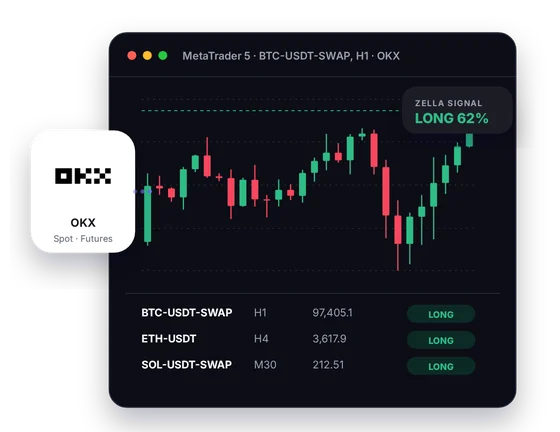
From BTC-USDT to BTC-USDT-SWAP, the connector feeds OKX's public prices into MetaTrader 5 as candles you can work on. Signals and a Screener come with it, while your OKX account stays untouched.
Setup
Three short steps, and our support team helps at each one.
Sign up through the CryptoZella link before you create the account. OKX only sets a referral at registration and says a code cannot be added afterwards. OKX sub-accounts cannot be invitees either, so if you already trade on OKX, email support first and we will talk it through.
Send the UID of your new OKX account to support@cryptozella.com. Once support confirms the account, your free licence is switched on. The same licence unlocks every signal bot timeframe.
Put the downloaded connector and helper library into the MT5 data folder. Turn on DLL imports in MT5's options. Then open BTC-USDT-SWAP or any OKX pair and let the candles stream in.
MT5 bridge
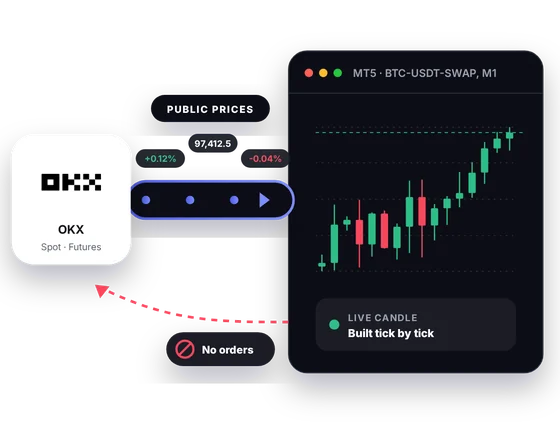
OKX shares its spot, swap and expiry futures prices on a public feed. The connector reads that feed and paints it as MT5 candles. It has no channel for sending anything to OKX.
Inside MT5
OKX names every instrument with a readable ID and runs several contract types. MT5 gives you room to compare them and test ideas on their history.
OKX writes base and quote with a dash, and adds SWAP for a perpetual. In a crowded MT5 symbol list, that suffix keeps spot and swaps apart.
BTC-USDT-SWAP settles in USDT, and BTC-USD-SWAP settles in bitcoin. Watching both shows how each contract reacts to the same move.
Tile the spot pair and its perpetual so a widening premium is easy to notice. You decide what that gap means for your trade.
Save your OKX layout as an MT5 template with your indicators and drawings. Apply it to the next instrument instead of rebuilding it.
The CryptoZella read appears right on the OKX chart as LONG, SHORT or NO TRADE. It is a view on probability, so weigh it like any other input.
The Screener lists the OKX instruments you choose with the current read for each. You spot a setup without flicking through dozens of charts.
In one picture
One MT5 screen with OKX data in the chart, a signal marked on it and the Screener at the side.
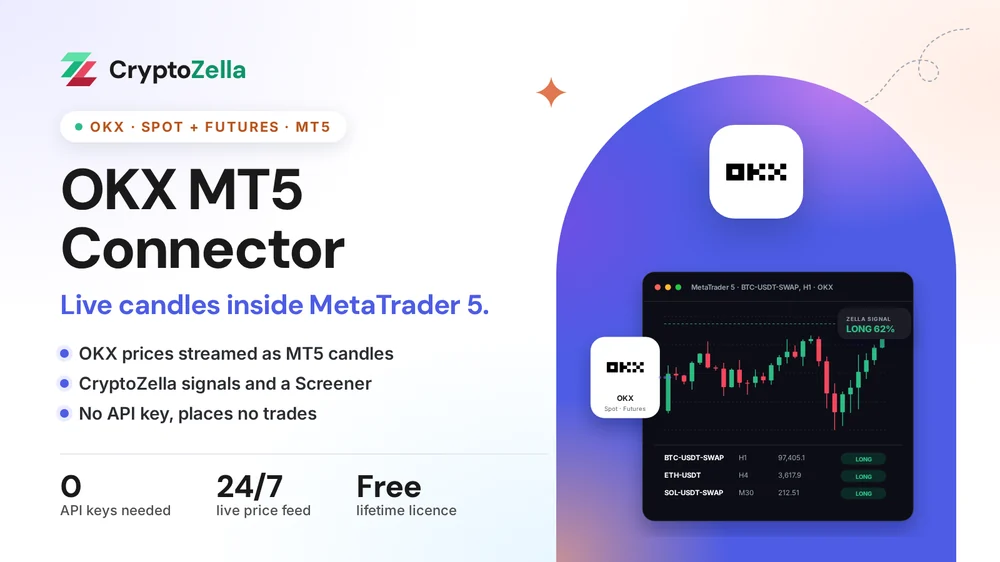
The chart draws from the public market data OKX publishes.
Each bar builds in MT5 as new prices arrive from OKX.
The latest direction and confidence sit on the bar that produced them.
Your chosen OKX instruments are listed with their current reads.
Copy trading
A copier expert in MT5 needs a clean price feed to judge from. The connector supplies OKX candles for that job and stops there.
Point a copier or signal EA at an OKX chart such as BTC-USDT-SWAP. It can analyse and alert, yet it has no link to place anything on OKX.
When a trader you follow posts an OKX idea, open the matching chart in MT5 first. If the candles agree, you open the position on OKX yourself.
The connector never copies, mirrors or syncs a trade on OKX. You type every order into OKX with your own account.
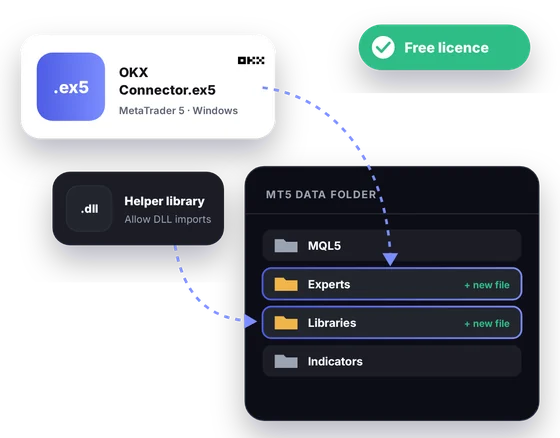
Free download
This file is made for MetaTrader 5 on a Windows PC. A lifetime licence, free after the partner sign-up and UID check, unlocks it.
Markets
Each row below reflects OKX's own public instrument data. Ask support for the exact list your build carries.
Read-only
Nothing about your OKX login is asked for, stored or used.
The connector has no field for an OKX API key and never asks you to create one.
It cannot read your assets, open positions or trade history on OKX.
MT5 has no path to OKX through it, so every buy or sell is one you place in OKX yourself.
Partner sign-up links
Open a new account through any link below, then send support its UID or trader ID. One lifetime licence follows, for the connectors and every expiry of the signal bot.
Crypto exchanges
Binary options brokers
These are partner links: we may earn a commission when you open an account, at no cost to you. Crypto and binary options trading carry a high risk of loss, so read the risk warning first.
FAQ
Sadly not. OKX sets referrals at registration and says a code cannot be added or changed later. Its referral rules also exclude sub-accounts as invitees. Email support and we will go over the options with you.
It marks a perpetual swap, a futures contract with no expiry date. BTC-USDT-SWAP is margined in USDT, while BTC-USD-SWAP is margined in the coin itself.
No key, no login, no account permissions. The data it uses is OKX's public market feed.
Yes, as long as you have a Windows computer for the MT5 desktop terminal, where the connector runs. You keep placing your OKX orders from the app as before.
OKX's public data lists spot pairs quoted in EUR, TRY, BRL, AUD and a few other currencies. Whether you can trade them depends on your OKX account and region. Support can tell you which of them your install shows.
No, the signal is only drawn on your chart. The connector cannot send orders to OKX. Swaps carry leverage that can lose more than you expect, so read the risk warning first.
Our support team works 24/7 and replies through the contact page or at support@cryptozella.com. They will walk you through each step until your OKX chart shows live candles.
No, CryptoZella is independent of OKX and is not endorsed by it. The referral link simply lets OKX record your new account as one we introduced.
More connectors
Free lifetime licence
Register through our link, email your UID, and support will help you get OKX candles into MT5.


